
You choose the timer.
Your watch runs it.
Tap Ready on your watch or your phone, or just say “ready”. With the watch as your timer, it beeps, taps your wrist and times every shot. With the phone as your timer, the phone beeps, your watch controls it, and the results show on your watch. Either way, your total and splits show on your wrist and on the phone the moment you finish.


Free: a complete shot timer on your phone, perfect for dry fire at home and quiet ranges. Busy range? SplitForce Pro adds the watch timer with recoil detection, so only your shots count. $24.99 once and it’s yours: no monthly fee. Training a group? The SFtimer runs the whole line.
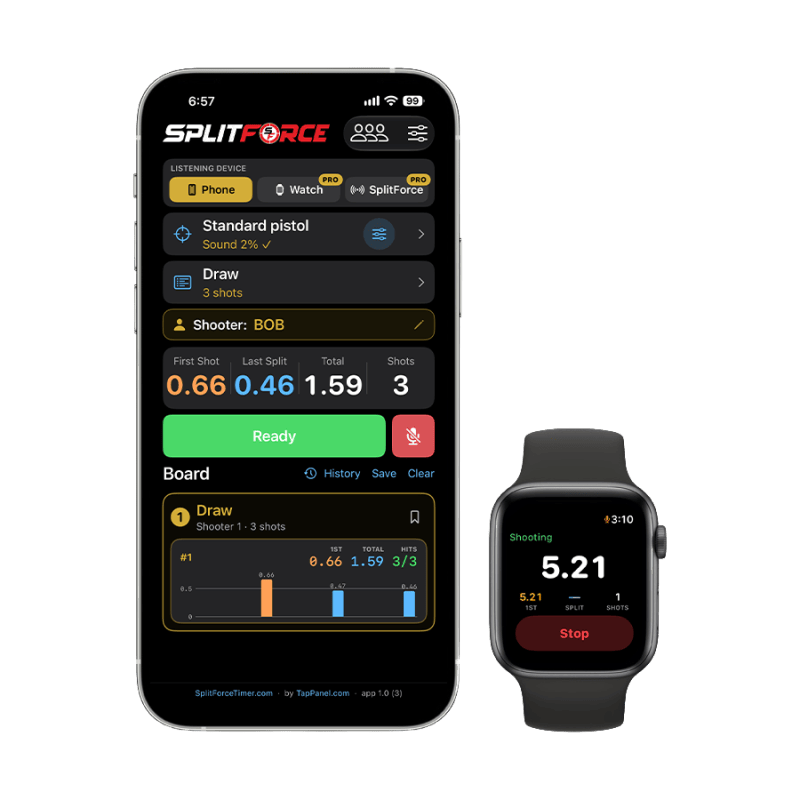
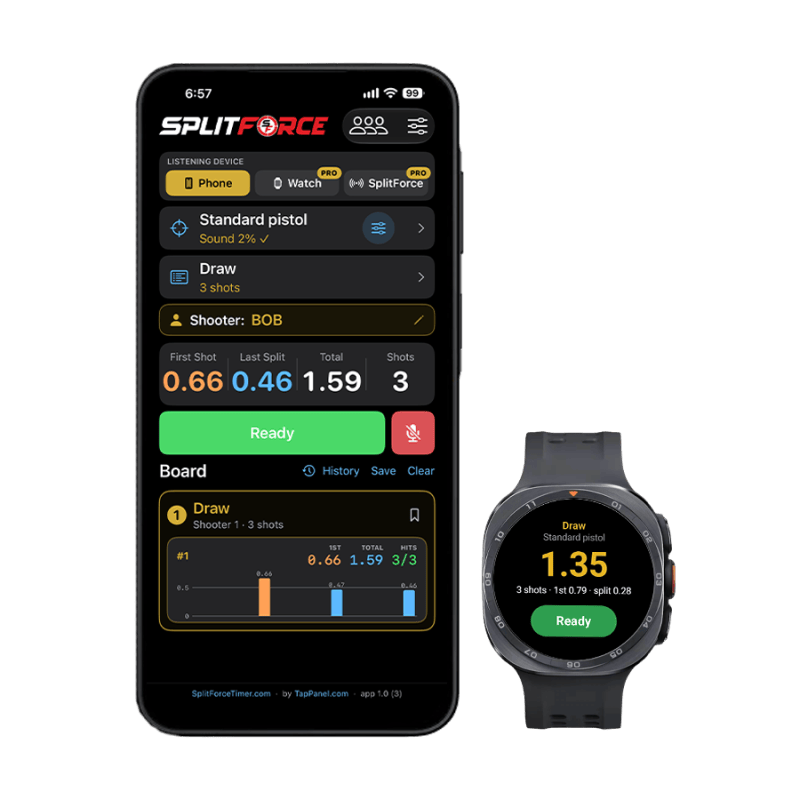
The phone hears it. The watch feels it too.
Your phone alone is a great timer. It hears every shot and times your splits, free, with nothing else to buy. It’s perfect for dry fire at home and quieter days at the range.
Add the watch for a busy line. When the next bay is shooting too, every shot sounds the same. The watch is on your shooting hand, so it hears the shot and feels the recoil at the same moment. Only a shot that is both heard and felt is counted. That’s how SplitForce tells your shots from everyone else’s.
And just like the SFtimer, the watch works in sync with your phone. Start on either one, and every shot lands on both.
Hears it
The mic catches the exact instant of the shot, to the millisecond.
Feels it
The watch feels the recoil in your wrist. A neighbour’s shot makes noise, but your wrist doesn’t move.
Only your shots
Heard and felt together means it was you. Your phone and watch time your string, not the range.
On your watch
Start your way, both respond
Tap Ready on the watch, tap it on the phone, or say “ready”. In Watch mode the watch beeps and times. In Phone mode the phone beeps, the watch controls it, and the results show on your watch. Tap Stop or say “stop” to end.
Keeps timing, wrist down
Shoot in your normal grip. The watch keeps timing with the screen dark and shows your result when you raise it.
Sound, recoil or both
On the watch or the SFtimer, you choose what counts a shot: Sound + recoil for live fire on a busy line, Sound for dry fire, or Recoil for suppressed fire. The phone times by sound.
False start
Fire before the beep and the string fails, with a buzz on your wrist and how early you were.
Results on your wrist
Even when the phone is the timer, each string shows on the watch, and Ready and Stop work from your wrist while SplitForce is open on the phone. The top of the watch always shows which device will beep.
Apple Watch and Wear OS
The same features on both: Apple Watch with iPhone, and Wear OS watches such as Galaxy Watch with Android.
On your phone
A full timer on its own
Your phone beeps and listens for every shot, with random delay, par times and voice “ready” and “stop”. Free, and perfect for dry fire.
Drills and calibration
Draw, Bill Drill, El Presidente and more. Calibrate each listening device to set what it counts as a shot and what it ignores, saved for each firearm.
Board and History
Splits on the results board, USPSA hit factor, and every string saved with charts and notes.
Range Command
Run the whole line on one timer. Shooters scan in, and each one gets their own results, on iPhone or Android.
Getting started
- Install SplitForce on your iPhone from the App Store. The watch app comes with it and installs on your paired Apple Watch.
- Open SplitForce on the watch and allow access. The first time, it asks for the microphone and for Health (workout) access. Tap Allow on both. Health access only keeps the watch listening with the screen off; nothing is saved to the Health app.
- Pick Watch on the iPhone. Choose it as the listening device at the top of the main screen.
- Calibrate each listening device. Fire a few rounds and set what counts as a shot and what gets ignored, for each firearm. The phone, the watch and the SFtimer each keep their own settings.
- Tap Ready and shoot. Your total and splits show on your wrist and on the phone.
- Install SplitForce on your Android phone from Google Play.
- Tap Install on watch. When your phone sees a connected watch without SplitForce, the Watch card offers it. Finish the install on the watch.
- Open SplitForce on the watch and allow access. The first time, it asks for the microphone and for notifications. Tap Allow on both. It needs to be opened on screen once before it can listen.
- Pick Watch on the phone. Choose it as the listening device at the top of the main screen.
- Calibrate each listening device. Fire a few rounds and set what counts as a shot and what gets ignored, for each firearm. The phone, the watch and the SFtimer each keep their own settings.
- Tap Ready and shoot. Your total and splits show on your wrist and on the phone.